
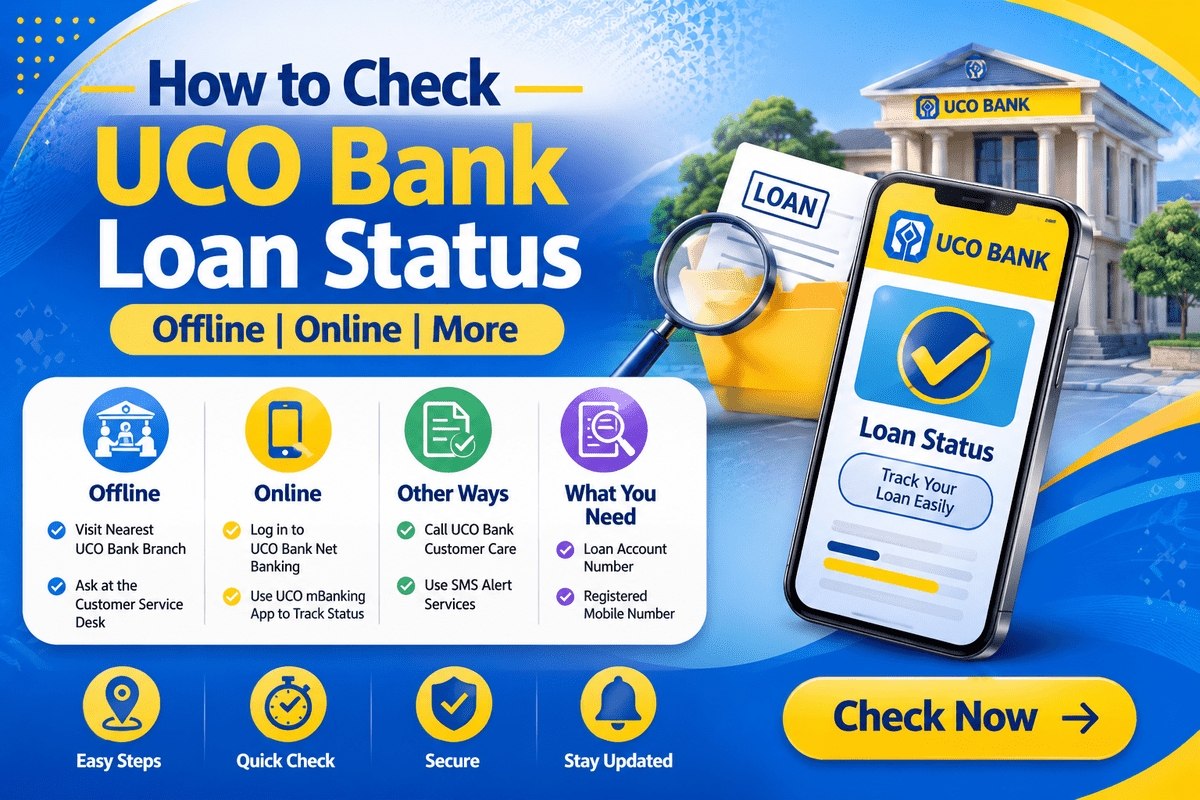
After you apply for a loan, the waiting is the hardest part — but checking your uco bank loan status is quick once you know where to look. UCO Bank offers loans to salaried employees, professionals, self-employed individuals, and pensioners, and it gives applicants several online and offline ways to follow their application from submission to sanction and disbursal. Whether you applied at a branch or online, this guide explains how to track your application, what details you need, how to view an active loan after disbursal, and what each status stage actually means.
How to Track Your UCO Bank Loan Application Online
The bank’s official tracking page covers applications made through different channels. Follow these steps:
- Visit the official UCO Bank website and click on Track Your Loan Status.
- A new page will open with tracking options. If you applied at a branch, click on For loans applied through our bank branches.
- Enter your Application Reference Number.
- Click on View Status to see the current status of your loan application.
The same tracking page also has separate options for loans applied online (such as car loans and home loans) and for tracking leads submitted through digital channels like missed call, SMS, call centre, chat-bot, or the website. Choose the option that matches how you applied, otherwise the system may not find your record. Keep your acknowledgement receipt safe — the reference number printed on it is the key to every tracking method.

Details Required to Check UCO Bank Loan Status
- Application Reference Number — given when you submit your application at a branch or online.
- UCO Bank online banking ID and password — needed when you view an active (disbursed) loan through net banking.
If you have lost your reference number, visit the branch where you applied with your ID proof; the staff can trace your application from your account or application details.
Registering for UCO Bank Online Banking
To view a disbursed loan online, you first need net banking access. You can register as follows:
- Visit the official UCO Bank website.
- Click on the e-Services icon at the top-left of the homepage, then click on Registration.
- Click on e-Banking Registration, enter your account number and the amount of one of your last 5 transactions, and proceed using your debit card linked to the account.
- Provide the additional details asked for to complete the registration.
- Once registered, you can log in to UCO Bank online banking and use its services, including loan account viewing.
If you are also setting up your everyday banking with the bank, our guide to UCO Bank account opening covers the savings account process in detail.
How to Check an Active Loan After Disbursal
Once your loan is sanctioned and disbursed, the tracking changes from “application status” to your live loan account. You can view it in two ways:
Using Net Banking
- Visit the UCO Bank online banking portal.
- Click on the e-Services icon and select e-Banking.
- Click on Login, then Personal Banking, and then Continue.
- Log in with your User ID. Your active loan account, outstanding amount, and repayment details will be visible in your account view.
Using the Mobile Application
UCO Bank’s mobile app is available for both Android and iOS. After registering for mobile banking, log in to the app to check the status and details of your active loan anytime. For a written record of repayments, you can also pull your UCO Bank statement, which shows every EMI debit from your account.
How to Check UCO Bank Loan Status Offline
If you prefer offline help, you have two options:
- Visit a branch: go to the nearest UCO Bank branch — you can find it with the Branch Locator tool on the bank’s website — and ask the staff to check your application or loan account status. Carry your reference number and an ID proof.
- Call customer care: dial the toll-free number 1800-274-0123 and ask the executive about your loan application or active loan status. Keep your reference number or account number handy for verification.
Comparing options across banks? You may also like our guides on checking the IndusInd Bank loan status and the HDFC loan status.
Loan Application Stages: What Each Status Means
| Status Stage | What It Means |
|---|---|
| Application received | The bank has your application and documents; processing has started. |
| Under verification | The bank is verifying your documents, income details, and credit history. |
| Sanctioned / Approved | Your loan is approved; sanction terms are being prepared. |
| Documentation / Agreement | Final paperwork and the loan agreement are being completed. |
| Disbursed | The loan amount has been released to your account or the seller, as applicable. |
| More information required | The bank needs an extra document or clarification — respond quickly to avoid delays. |
Processing time varies with the loan type and how complete your documents are. If your status does not move for a long period, contact the branch where you applied rather than submitting a second application.
Tips to Avoid Delays in Your Loan Application
Most delays happen for simple, avoidable reasons. Submit complete and clearly readable documents the first time — blurred or cropped copies of ID proof, address proof, and income documents are the most common cause of a file going back and forth. Make sure the name and address on your application match your documents exactly, because even a small spelling difference can pause verification. Keep your phone reachable: the bank may call to verify your employment or address, and missed verification calls slow the file down. If the tracking page shows that more information is required, respond the same day through the branch or channel the bank mentions. Finally, track your status at reasonable intervals — every few days is enough — rather than filing a duplicate application, which can create confusion between two files.
If Your Application Is Rejected or Stuck
A status that does not move for a long time usually means the file is waiting on a document, a verification step, or a clarification from you — the branch where you applied can tell you exactly which one. If an application is declined, the bank generally communicates the broad reason, such as income eligibility, incomplete documentation, or credit history. You can ask the branch what would need to change before a fresh application makes sense, correct that point, and apply again later. Do not pay any agent or middleman who promises to “get the loan approved” for a fee; approvals are decided only by the bank on your documents and eligibility.
Key Facts About UCO Bank Personal Loans
UCO Bank personal loans are available to salaried employees, professionals, self-employed individuals, and pensioners. As per the bank’s published details, customers can avail a personal loan of up to a maximum of ₹15 lakh, with a flexible repayment tenure of up to 60 months; pensioner loans carry a tenure of up to 48 months. The bank does not charge a foreclosure fee for prepaying a loan. Terms can change over time, so confirm the current figures with the bank before you sign the agreement.
Stay Safe While Tracking Your Loan
Track your application only on the official UCO Bank website or app, and never through links sent by unknown callers or messages. The bank will never ask for your OTP, PIN, or password to “release” a loan. Never share these details with anyone — if someone demands them or asks for a fee to approve your loan, it is a fraud attempt; report it to the bank’s customer care instead.

Frequently Asked Questions
How can I check my UCO Bank loan status online?
Go to the official UCO Bank website, open ‘Track Your Loan Status’, choose ‘For loans applied through our bank branches’, enter your Application Reference Number, and click ‘View Status’.
What details are required to track a UCO Bank loan application?
You mainly need your Application Reference Number. To view a disbursed loan in net banking, you will also need your UCO Bank online banking ID and password.
Is there a limit on the loan amount that can be availed from UCO Bank?
Currently, customers can avail a personal loan of up to a maximum of ₹15 lakh from UCO Bank.
What is the repayment tenure for a UCO Bank loan?
UCO Bank personal loans come with a flexible repayment tenure of up to 60 months. Pensioner loans have a repayment tenure of up to 48 months.
What is the foreclosure fee for prepaying a UCO Bank loan?
UCO Bank does not charge any foreclosure fee for the prepayment of a loan.

She is a professional and experienced senior article writer and editor. She is working in Indian Government Schemes, Education, and Media Communication. She has completed her MJMC, and now working at StatusChecker.in as a Senior Editor and writer. She has more than ten years of experience in Media communication, and article writing. So we hope you will enjoy her article. If you have any complaints or suggestions for her. You can contact us through our Contact Us page.