
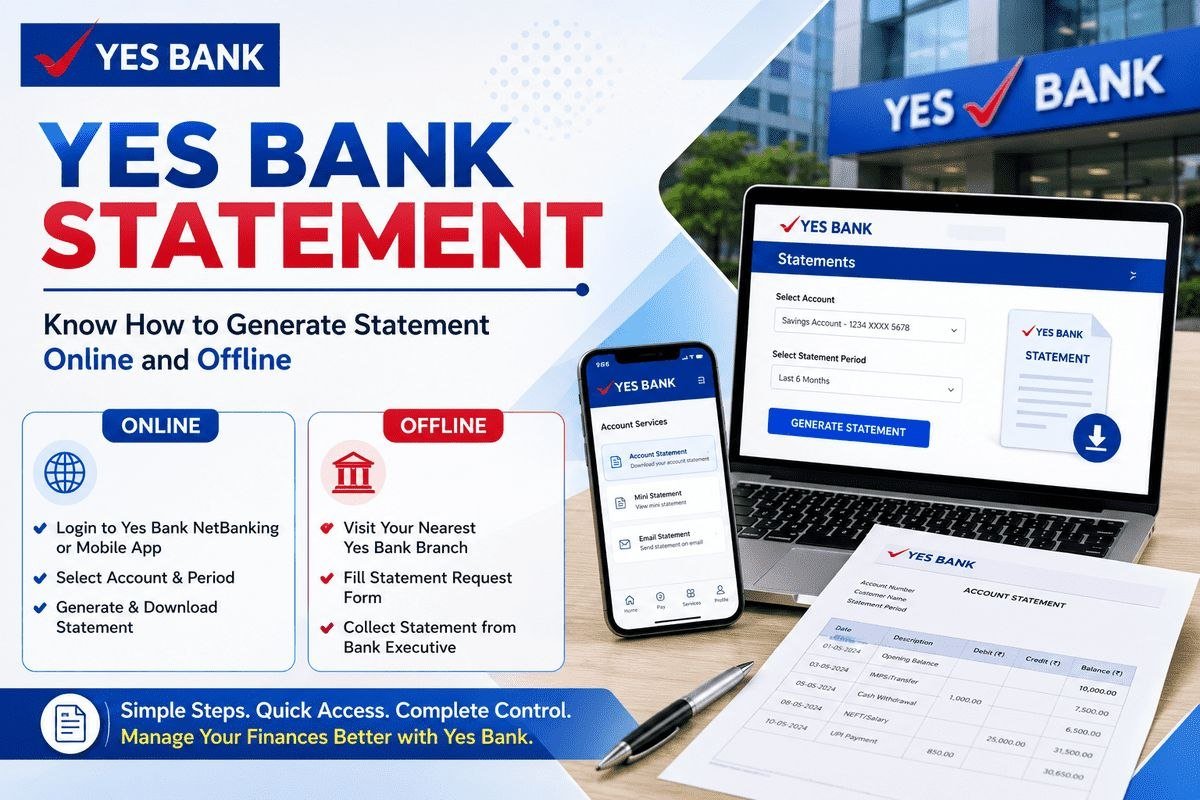
Need your bank statement for a loan application, a visa file, or just to check where the money went last month? You do not have to stand in a branch queue for it. If your mobile number is registered with the bank and net banking or mobile banking is active, a yes bank statement takes barely two or three minutes to download from home. This guide covers every working method — net banking, the IRIS by YES BANK app, email statements, the ATM mini statement and the branch process.
What is a YES Bank account statement and why you may need it
A YES Bank account statement is the official record of every credit and debit in your account for a chosen period. It shows the date and details of each transaction, the amount in or out, and the balance after every entry. Most people need a yes bank account statement online or on paper for a loan or credit card application, income tax filing, a visa application, or income and address proof for an employer.
A mini statement only shows your last few transactions, while a full statement can cover any period — a month, six months, or a year.

What you need before you start
Keep these ready so the process does not stop midway:
- Your Customer ID — given in your welcome letter, cheque book and earlier statements.
- Your registered mobile number — the bank sends an OTP on it during login.
- Net banking login ID and password for YES ONLINE, or the IRIS by YES BANK app activated on your phone.
- For a branch visit — your passbook and a photo ID such as Aadhaar or PAN card.
If no digital channel is active yet, use the branch method given below.
How to get your YES Bank statement online
The bank gives you three online routes, available at any hour.
Through YES ONLINE net banking
YES ONLINE, the bank’s net banking platform, is the easiest option for a yes bank statement download on a laptop or computer.
- Open the YES ONLINE login page from the bank’s official website and sign in with your Login ID and password.
- From the left-side menu, open the CASA transactions section and click Account Statement.
- Select the account you want the statement for.
- Pick a ready-made period or set your own date range, enter the details and click Submit.
- The statement summary opens on screen. Click the download icon at the top right and choose PDF or CSV.
Note: one request displays up to 500 transactions. For more, the bank registers a report request, and the file can be downloaded later from the Report Request section.
Through the IRIS by YES BANK mobile app
The bank’s current mobile banking app is IRIS by YES BANK, free on the Play Store and App Store. Customers who earlier used YES Mobile will find the statement flow works the same way.
- Log in to the app and tap My Account.
- Tap the Statement option.
- Tap the filter icon next to Recent Transactions.
- Select the period — This Month, Last 3 Months, Last 6 Months, the past year, or a specific date range.
- Under statement type, select All and tap Apply Filter.
- The statement appears on screen. Tap Share and select Download as PDF.
The PDF saved on your phone is password protected. The yes bank statement password is your Customer ID followed by your date of birth in DDMMYYYY format, without any spaces. If your Customer ID is 226235 and your date of birth is 2 May 2002, the password will be 22623502052002.

Get your statement by email: register for e-statements
To get the statement in your inbox every month without logging in, register for email statements once:
- Log in to YES ONLINE and open the Non-financial transaction section from the left menu.
- Go to Consolidated Email Statement and register for the service.
After registration, a consolidated monthly e-statement for all accounts linked to your Customer ID is sent to your registered email ID. You can deregister from the same menu anytime. The attached PDF opens with the same Customer ID plus date of birth password explained above.
Offline methods to get a YES Bank statement
At a YES Bank branch
If digital banking is not active, or you need a stamped statement, visit any YES Bank branch:
- Write an application at the branch requesting your account statement.
- Attach photocopies of your passbook, Aadhaar card and PAN card.
- Submit it to the bank official and mention the period you need the statement for.
- The official will generate and provide the statement for your specified date range.
YES Bank mini statement at an ATM
For a quick look at recent entries, a yes bank mini statement from the ATM is enough:
- Insert your YES Bank debit card into a YES Bank ATM and choose your language.
- Enter your 4-digit ATM PIN.
- Select Mini Statement — usually found under Banking or Account Information.
- The ATM shows your last five transactions on the screen.
A mini statement is only a short summary — for loan, visa or tax purposes, download the full statement. Canara Bank customers can follow our Canara Bank mini statement guide for the same quick-check process.
Through customer care (YES TOUCH phone banking)
You can also call YES TOUCH phone banking on 1800 1200 (toll free) or 1860 210 1200, the numbers listed on the bank’s official website, and request your statement over the phone. Keep your Customer ID handy for verification.
How to read your statement
Once the PDF opens, these are the fields that matter:
- Statement period and account details at the top — check the period and account number are the ones you asked for.
- Transaction date and narration — the narration shows who sent the money or where it went, via UPI ID, cheque number or transfer reference.
- Debit and credit columns — money out and money in; some entries are marked Dr and Cr.
- Running balance after every transaction — if the last balance matches your app balance, the statement is complete.
- Charges and interest entries — scan lines like service charges or interest credit; people often spot forgotten auto-debits here.
Common problems and fixes
The PDF does not open. Almost always a password mistake. Retype the Customer ID and date of birth in DDMMYYYY order — day, month, year — no slashes or spaces.
The file shows the wrong period. The filter was left on This Month. Re-apply it with your exact dates and download a fresh copy.
The email statement has not arrived. Check spam and promotions first. If it is missing, confirm in YES ONLINE that your registered email ID is current and email statements are switched on.
Login keeps failing. Try the IRIS app, or clear the browser cache and retry. After repeated wrong attempts an account can get locked; then reset the password from the login page or call phone banking.
A very old period is missing online. Very old statements may not generate instantly on the portal; use the branch method for those.
A quick safety note: the bank will never ask for your OTP, ATM PIN, net banking password or statement PDF password on a call, message or email. Never share these, and download your statement only from the official YES Bank website or the IRIS app — never from links sent by strangers.
Frequently asked questions
How can I get my YES Bank statement without net banking?
Use the IRIS by YES BANK app if your mobile banking is active. If neither is active, visit a branch with your passbook and photo ID and apply there. For recent transactions alone, a mini statement of the last five transactions is available at any YES Bank ATM with your debit card and PIN.
What is the YES Bank statement password for the downloaded PDF?
It is your Customer ID followed by your date of birth in DDMMYYYY format, without spaces. For example, Customer ID 226235 with date of birth 02/05/2002 gives the password 22623502052002. The same password opens the monthly e-statement sent to your email.
How do I download a 6-month YES Bank statement?
Select Last 6 Months in the period filter, or set a custom date range covering the six months you need, then download the PDF. In the app, this filter sits next to Recent Transactions; in YES ONLINE, on the Account Statement page.
Is there any charge for downloading a YES Bank statement online?
No. YES ONLINE access is free for all account holders, and downloading through net banking or the IRIS app costs nothing. For a branch-printed copy, ask the staff about any charges before applying.
What is the difference between a mini statement and a full account statement?
A mini statement shows only your last five transactions and is meant for a quick check. A full statement covers any period you select, with every debit and credit in detail, and is the document accepted for loans, visas and tax purposes.
Conclusion
Once your digital banking is active, getting a yes bank statement is a two-minute job: net banking and the IRIS app both let you pull a yes bank account statement online for any period, and the Customer ID plus date of birth password keeps that PDF safe. Keep the branch in mind for a stamped copy, and the ATM for a quick check. If you bank elsewhere too, see our guides to downloading a UCO Bank statement and an IDBI Bank statement.

She is a professional and experienced senior article writer and editor. She is working in Indian Government Schemes, Education, and Media Communication. She has completed her MJMC, and now working at StatusChecker.in as a Senior Editor and writer. She has more than ten years of experience in Media communication, and article writing. So we hope you will enjoy her article. If you have any complaints or suggestions for her. You can contact us through our Contact Us page.